
How to forward iPhone text messages to Telegram
Updated
Bot chats
Forward selected iPhone messages to your own Telegram chat through a bot you create.
How this destination works
Fwrd sends each matching text over HTTPS, straight from the iPhone to this destination, whenever the destination is active in Fwrd.
Forward iPhone SMS to Telegram: overview and FAQBefore you begin
- A Telegram account, so you can message BotFather and create the bot
- A few minutes in Telegram on any device — the bot is created there, not in Fwrd
- Fwrd installed on the iPhone that receives the messages
Set up the destination
10 steps
Create a bot with BotFather
This works in Telegram on the iPhone. Search for @BotFather (it has a blue tick), open the chat, and send /newbot. BotFather asks for a name, which can be anything, then a username: 5 to 32 letters, numbers, or underscores, ending in “bot”, such as my_texts_bot. The username can’t be changed later.
Copy the bot token
BotFather replies with a token: a number, a colon, then a long string. Anyone who has it controls your bot, so keep it private. Send /token to BotFather if you ever need to replace it.
110201543:AAHdqTcvCH1vGWJxfSeofSAs0K5PALDsawStart the chat yourself
A Telegram bot can’t message you first. Tap the t.me link BotFather sent, tap Start, then send the bot any message, such as hello, so the next step has something to read.
Read your chat ID
Open the address below in a browser, with your token in place of <YOUR_TOKEN>. The word bot goes straight in front of the token, with no space. Find "chat":{"id": followed by a number, and copy that number exactly. Your own chat is a positive number. If the page shows "result":[], send the bot another message and reload: Telegram only keeps these for 24 hours.
https://api.telegram.org/bot<YOUR_TOKEN>/getUpdatesChoose Telegram in Fwrd’s setup
On the iPhone, open Fwrd and tap Set Up Forwarding at the end of the intro. When it asks where your texts should go, choose Telegram.
Enter the token and chat ID
Paste the token into Bot token and the number into Chat ID, then continue. Fwrd checks the shape of both first.
Bot token + Chat ID ← BotFather and getUpdatesAdd the ready-made shortcut
Choose which texts to forward. Tap Get Shortcut. In Shortcuts, tap Add Shortcut, then ◀ Fwrd at the top left.
Switch it on
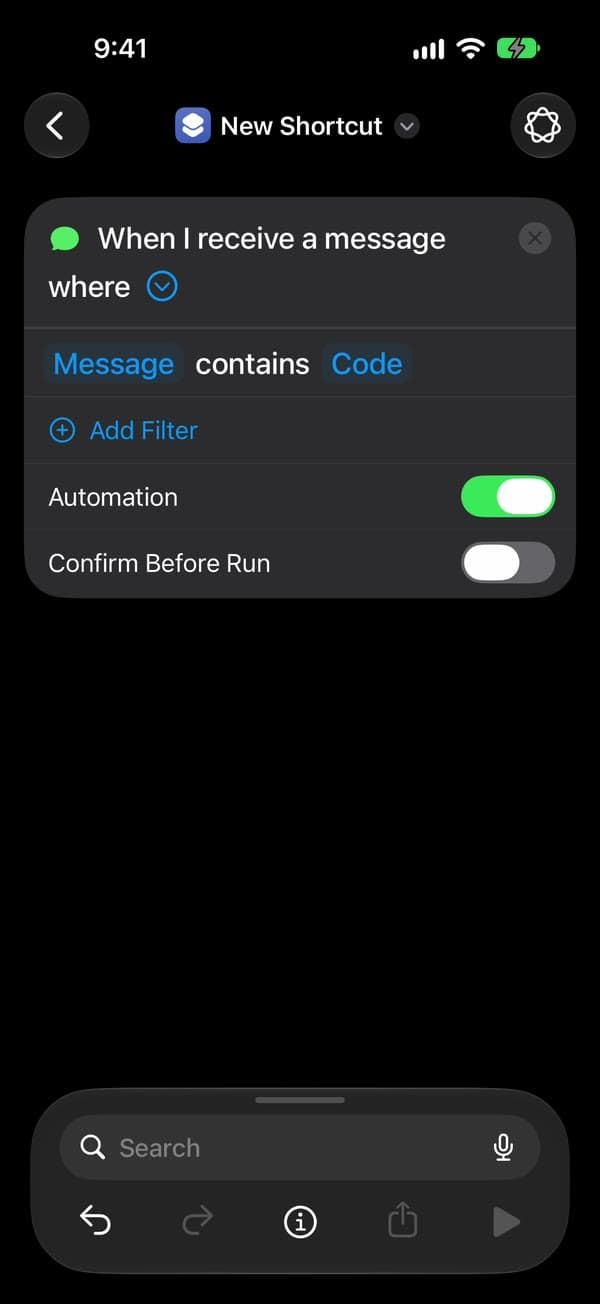
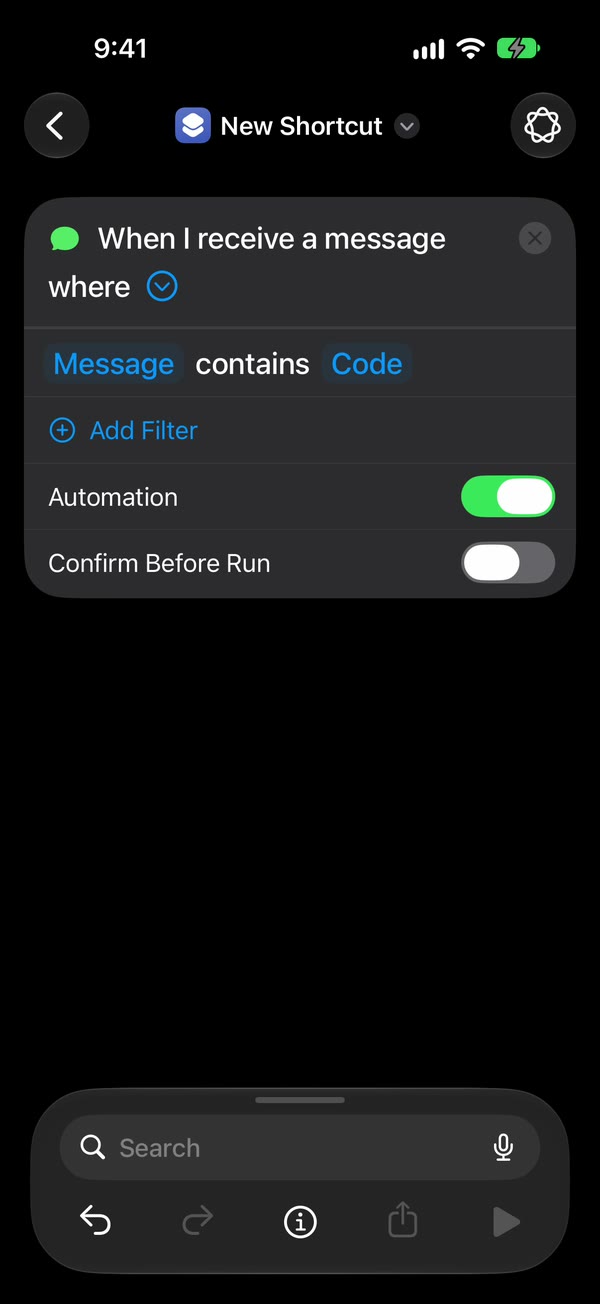
On iOS 27, tap Open Shortcut. In Shortcuts, tap Edit, then the small › at the end of the first line, “When I receive a message where” (not the ×), and turn on Automation, as in the picture. On iOS 26, Fwrd calls this step Make it automatic: tap Open Shortcuts, then New Automation or +, then Message. Type one space in Message Contains and tap Done. Choose Run Immediately, tap Next, and tap the shortcut you just added, under My Shortcuts.
Allow the first run
Fwrd runs the shortcut once with a sample text. Shortcuts asks twice the first time: tap Allow, then Always Allow.
You’re all set
That’s it. New matching texts now go to your Telegram chat on their own, with the iPhone unlocked or locked. After the iPhone restarts, unlock it once and forwarding carries on.
Sending to a group instead
Fwrd accepts a group chat ID too. Three things change: add the bot to the group, send /start@your_bot there because Telegram hides ordinary group messages from bots, and expect a negative chat ID — a supergroup starts with -100, and the minus sign is part of it. Converting a group to a supergroup changes its ID, so you would need to update it here. Enter the group’s chat ID in Fwrd, tap Send Test Message, and save.
Build it yourself
Rather build the automation yourself? Follow these steps instead. If Fwrd already forwards somewhere, stop once Telegram is saved: your automation sends to every active destination.
Watch the setup
Every tap in Fwrd and Shortcuts on iOS 27, in about a minute. Pause on any step, or choose one below to jump to it.
Shown on iOS 27 with Fwrd 1.1. The addresses and numbers are examples.
Add Telegram in Fwrd
On the iPhone, open Fwrd, tap + at the bottom of the screen, and choose Telegram. You can rename it to tell destinations apart.
Enter the token and chat ID
Paste the token into Bot token and the number into Chat ID. Fwrd checks the shape of both before it lets you continue.
Bot token + Chat ID ← BotFather and getUpdatesSave and keep the destination active
Tap Send Test Message, then tap the tick at the top right to save. If iOS offers to save a password, tap Not Now: Fwrd already keeps it in the iPhone’s Keychain. Leave Destination Active switched on. An inactive route stays saved on the iPhone but is skipped when messages arrive.
Destination Active ← OnCreate a Message automation
On the receiving iPhone, open Shortcuts. On iOS 27, go to Library → Automation and tap +. If you see Describe a shortcut, tap Edit. Tap Automation, then Message, and change Sender to Message. Type a word your texts contain, such as code or verification: matching on the message catches short codes and senders outside your Contacts, which Sender can’t. Then tap the arrow beside the trigger and check that Confirm Before Run is off. Under ⓘ, then Privacy, check that Allow Running When Locked is on. On iOS 26, tap Automation, then +, then Message, and choose Run Immediately.
Message contains ← your word · Confirm Before Run ← Off · Allow Running When Locked ← OnAdd Fwrd’s Forward Message action
Search for Forward and add Fwrd’s Forward Message to All Destinations below the trigger. Tap Message in it, tap Select Variable, and choose Shortcut Input; Shortcuts adds a Receive block at the top, which is fine. Tap back to save. On iOS 26, tap Create New Shortcut first, then add the action, set its Message to Shortcut Input, and tap Done.
Message = Shortcut Input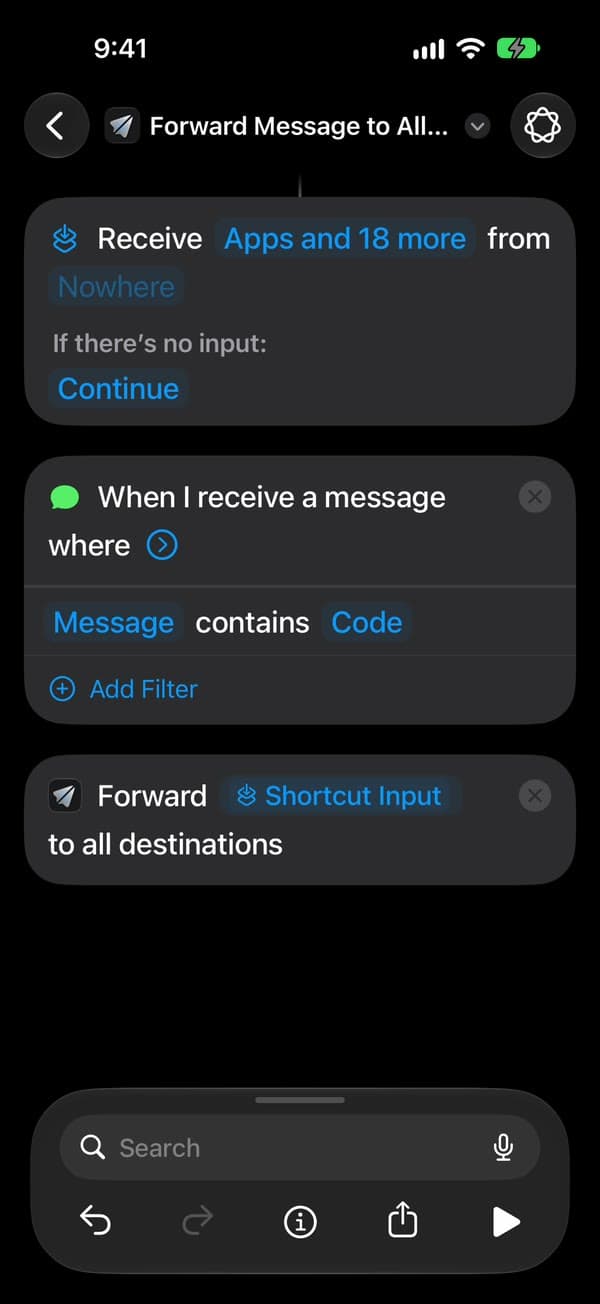
You’re all set
That’s it. New matching texts now go to your Telegram chat on their own, with the iPhone unlocked or locked. After the iPhone restarts, unlock it once and forwarding carries on.
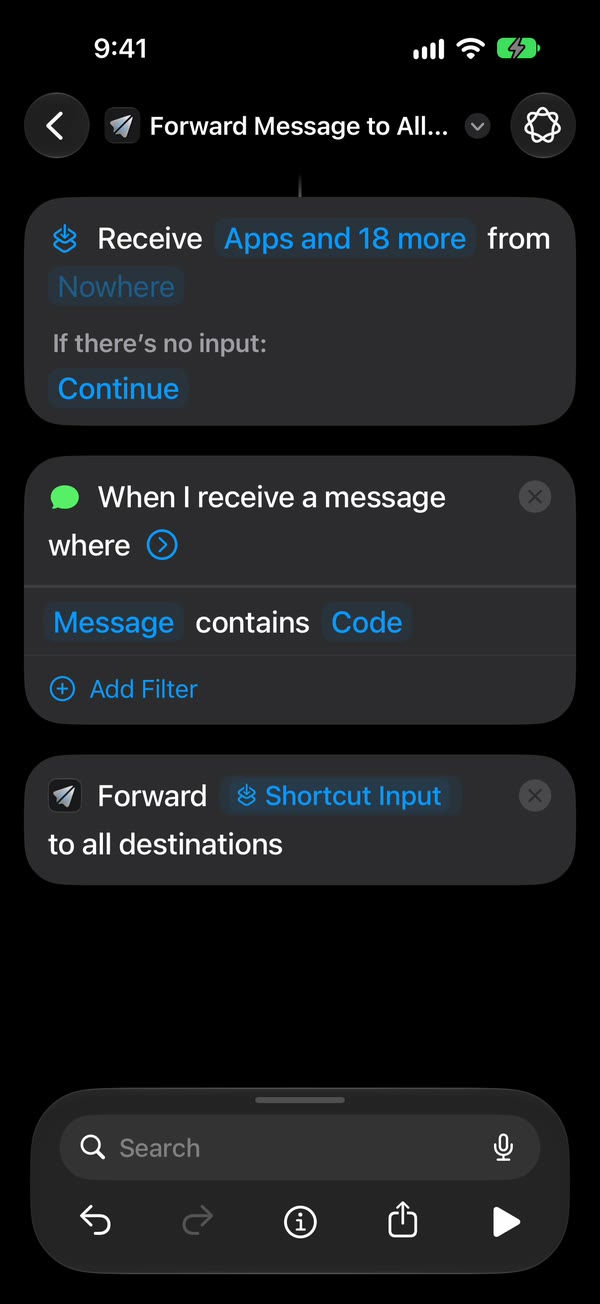
The Shortcuts screens differ between iOS 26 and iOS 27. The automation guide walks through both.
If a message doesn’t arrive
- Send Test Message fails with “chat not found”
- A bot can’t message you until you open its chat and tap Start. Do that, then read the chat ID again with getUpdates.
- getUpdates shows an empty list
- Send the bot a message first, then reload the page. If the bot has a webhook set elsewhere, getUpdates stays empty until you remove it.
- It stopped working after I changed the token
- A new token from BotFather replaces the old one straight away. Paste the new token into Fwrd.
Problems that apply to every destination, like texts that never trigger the automation, are in the troubleshooting guide.
Common questions
Each answer opens on the Telegram overview page.
- Can I automatically forward iPhone SMS to Telegram?
- How do I forward text messages from my iPhone to Telegram?
- Do I need my own Telegram bot?
- Why forward iPhone texts to Telegram?
- Can I forward texts to more than one Telegram chat?
- Does forwarding to Telegram work when my iPhone is locked?
- Is it free to forward iPhone texts to Telegram?
- Can Fwrd forward texts to a Telegram group?
- Can I choose which texts get forwarded to Telegram?
- Does Fwrd see or store the texts I forward to Telegram?
Popular ways to use Fwrd
More help
Good to know
Keep the iPhone that gets the texts on and online. After it restarts, unlock it once and forwarding carries on. Every forward is listed in Fwrd’s Activity.
Start forwarding your texts
Free for 15 forwards a month
iPhone · iOS 26 or later