
iOS 27 Text Message Forwarding: What Changed
By Fwrd · · Updated
Forwarding texts automatically still works on iOS 27, but the Shortcuts automation that does it has moved. There’s no Automation tab any more: automations are shortcuts, listed under Library, then Automation, the trigger is the shortcut’s first step, and running without asking means Confirm Before Run off and Allow Running When Locked on. Apple’s Text Message Forwarding setting, which shows your texts on your own Mac or iPad, is still in Settings.
What you need: an iPhone on iOS 27, the Shortcuts app (it’s already on your phone), and, to forward texts to other people or apps, Fwrd and somewhere to send them.
What changed for text message forwarding in iOS 27?
The Shortcuts screens changed, not what a Message automation can do. The trigger, the keyword rule and Fwrd’s action work as they did on iOS 26; you just find and switch them in different places.
Apple’s iOS 27 guide to automation shortcuts (read October 25, 2026) says shortcuts with automations run actions based on events, that automation shortcuts are specific to a device, and that they back up to iCloud but sync to your other devices with the automation turned off.
| iOS 26 | iOS 27 | |
|---|---|---|
| Where automations live | The Automation tab | Library, then Automation |
| Start a new one | +, then Message | +, then Edit if you see Describe a shortcut, then Automation, then Message |
| Match a word | Message Contains | Change Sender to Message, then type the word |
| The trigger | A separate step before the shortcut | The first step of the shortcut |
| Run without asking | Run Immediately (turn off Notify When Run if you see it) | Confirm Before Run off, Allow Running When Locked on |
| Fwrd’s Message field | Shortcut Input, then Message | Shortcut Input |
| Save | Done | Tap back |
How to set up text forwarding on iOS 27
Make the destination in Fwrd first, then the automation. These steps match the automation guide, which also has the iOS 26 steps. They’re the same on iPhone Duo, which comes with iOS 27.1; see How to forward texts on iPhone Duo.
Add a destination in Fwrd. Open Fwrd, tap +, and choose where texts should go. Paste the address it asks for into the Configuration field, tap Send Test Message, then save with the tick.
Open the automation list. Open Shortcuts and tap Library, then Automation. Automations are saved as shortcuts on iOS 27, and this is where they’re listed.
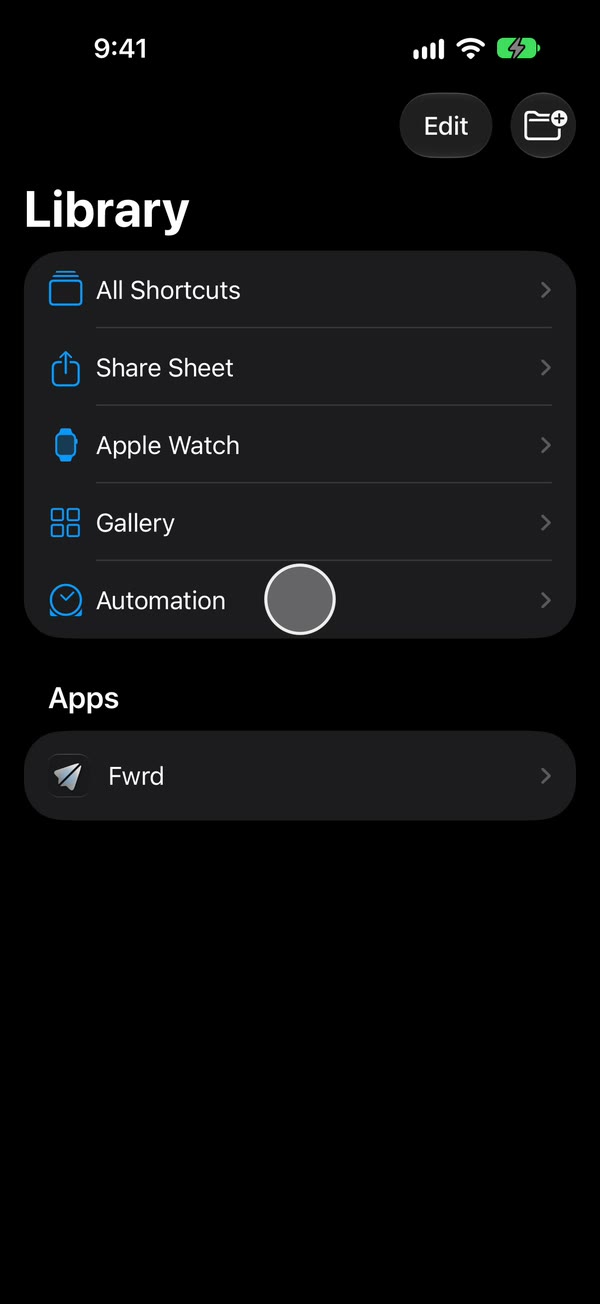
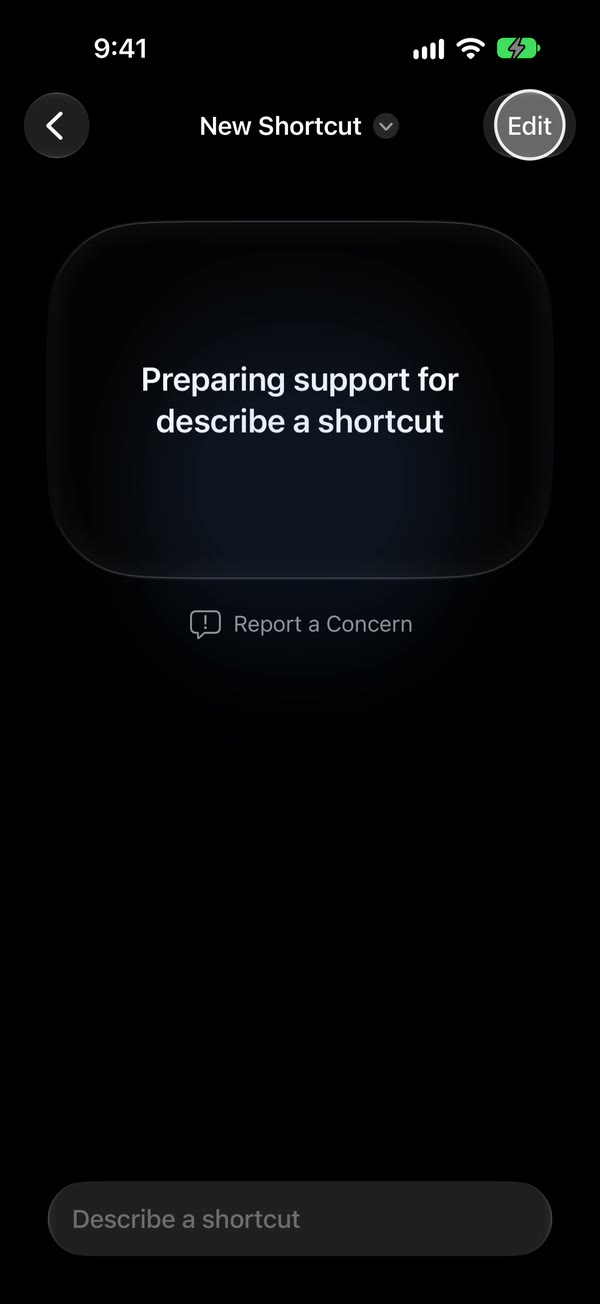
Start a new automation. Tap +. If it opens on Describe a shortcut, tap Edit to see the steps instead.
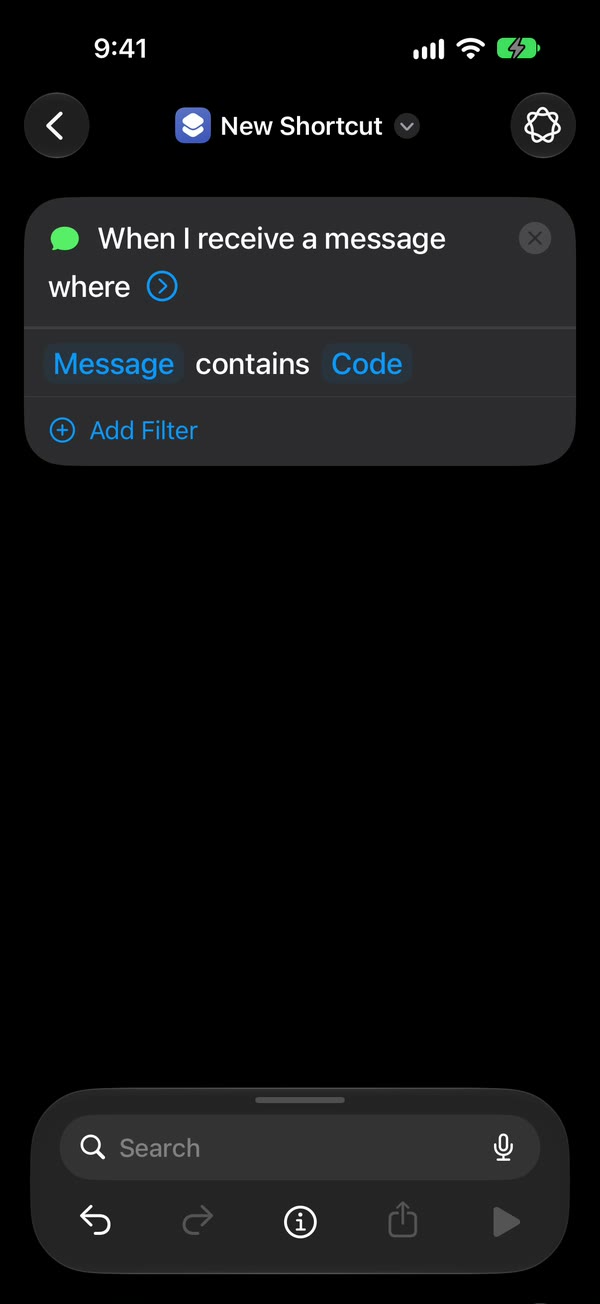
Choose the Message trigger. Tap Automation, then Message. Change Sender to Message and type a word your texts contain, such as code. The trigger becomes the shortcut’s first step: “When I receive a message where Message contains …”.
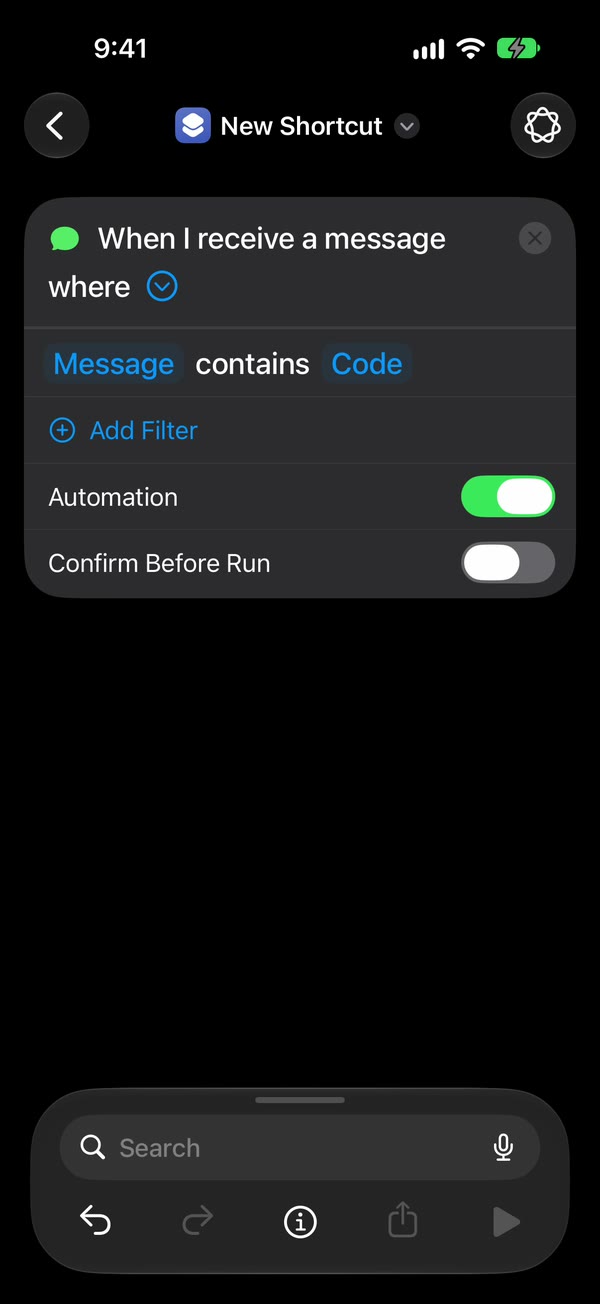
Make it run without asking. Tap the arrow beside the trigger. Leave Automation on and Confirm Before Run off. Then tap ⓘ at the bottom, then Privacy, and check that Allow Running When Locked is on. It’s on to begin with.
Add Fwrd’s action. Search for Forward and add Forward Message to All Destinations below the trigger. Tap Message in it, tap Select Variable, and choose Shortcut Input. Shortcuts adds a Receive block at the top when you do; leave it as it is. Tap back to save.
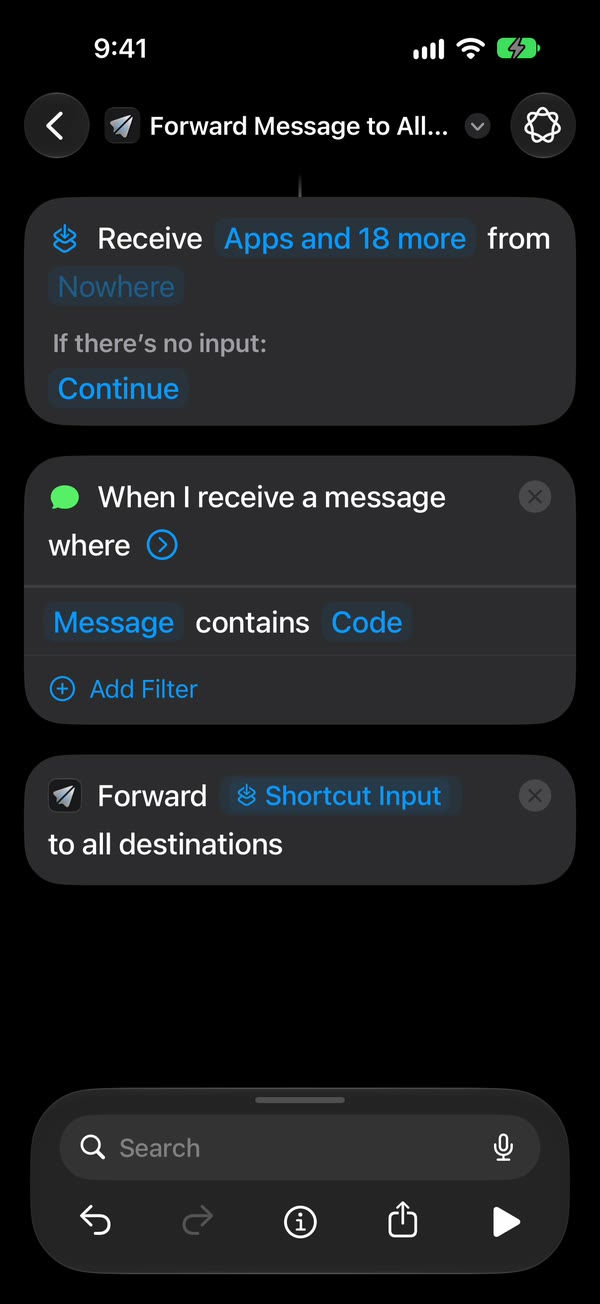
That’s it. New texts with your word now go to your destinations on their own, with the iPhone unlocked or locked.
Apple’s Add automations page (read October 25, 2026) lists Message among the triggers that can run without asking, and points to Privacy, then Allow Running When Locked, for that switch.
Came from iOS 26? Check these three things
If an automation you made on iOS 26 stops forwarding after the update, look at it under Library, then Automation.
- Confirm Before Run is off. If a notification asks you to run the automation, it has been switched on.
- Allow Running When Locked is on, under ⓘ, then Privacy.
- Fwrd’s Message field still uses Shortcut Input. On iOS 27 it’s Shortcut Input on its own.
Shortcuts automation not running? goes through each symptom.
What about Apple’s Text Message Forwarding setting?
It’s still in Settings, under Apps, then Messages. Apple’s support article (read October 25, 2026) says to open Settings, then Apps, then Messages, then Text Message Forwarding, and turn on each Mac, iPad or Apple Vision Pro signed in with the same Apple Account.
It only shows your texts on your own Apple devices. To send texts to another person, an email address or a chat app, you need the Shortcuts automation above. If the setting is missing, Text Message Forwarding missing on iPhone covers why.
What iOS 27 still can’t do
- It can’t forward texts that arrived earlier. The automation starts with the next matching text.
- It can’t match every text without a rule. A single space as the word catches any text with a space in it; a one-word reply won’t match.
- It can’t run while the iPhone is off. The phone must be on and online. After a restart, Fwrd waits until you unlock it once.
- It doesn’t move an automation to your other devices. Apple says synced automations arrive turned off, so the iPhone that gets the texts is the one that runs it.
Questions about forwarding texts on iOS 27
Why does my new automation open on Describe a shortcut?
That’s iOS 27’s new starting screen for shortcuts. Tap Edit to see the steps, then add the Message trigger by hand.
Where did the Automation tab go?
iOS 27 removed it. Automations are now shortcuts, listed under Library, then Automation.
Does Fwrd work on iOS 27?
Yes. Fwrd needs iOS 26 or later, and its Forward Message action works under an iOS 27 Message trigger the same way.
What does Fwrd cost?
As of October 2026, Fwrd is free for 15 forwards a month, and a text counts once however many places it goes. Fwrd Pro removes the limit for $4.99 a month or $29.99 a year in the US.
Forward texts on iOS 27
Fwrd adds one action to your iOS 27 Message automation that sends matching new texts to any of eight destinations, with no account. Start with 15 free forwards each month.
Free for 15 forwards a month. Pro removes the limits on forwards and filters and adds a Never Forward list, for $4.99/month or $29.99/year, with a 7-day free trial on the yearly plan for eligible customers.
iPhone · iOS 26 or later