
Can Apps Read Your Text Messages on iPhone?
By Fwrd ·
No, apps can’t read your text messages on iPhone. iOS keeps every third-party app out of the Messages app, so none can open your conversations or even see that a text arrived. The narrow exceptions are a spam filter you switch on, a keyboard (only for what you type with it), a verification code you tap to fill in, and a Shortcuts automation you build yourself, which is how Fwrd works.
What you need: your iPhone and a few minutes to look through Messages, Settings and Shortcuts.
Can any app open your Messages?
No. Apple sandboxes every third-party app, and an app can reach anything outside its own data only through services iOS provides. Reading your Messages history isn’t one of them.
Apple’s Platform Security guide says “all third-party apps are sandboxed”, and that sandboxing is designed to stop apps gathering or changing information other apps store (checked October 17, 2026). So a game, a social app or a free utility you just installed has no way into your texts, whatever permissions it asks for. iOS doesn’t offer a Messages permission at all.
What iOS does offer are a few narrow doors, each one something you turn on yourself.
What each kind of app can see
Here’s what each door lets through, from Apple’s own documentation.
| Kind of app | What it can see of your texts |
|---|---|
| Any ordinary app | Nothing in Messages |
| Spam filter you switch on | The sender and text of texts from unknown senders, to sort them; never your contacts’ texts or iMessages |
| Third-party keyboard | What you type with it, not the texts you receive |
| An app asking for a code | Only the code, and only when you tap it above the keyboard |
| An app in a Shortcuts automation | Only the new texts that match the automation you built |
What can a spam filter app see?
Only texts from unknown senders, and only to decide where they go. Apple says these filters never see texts from people in your Contacts, or iMessages from anyone.
Apple’s SMS and MMS Message Filtering documentation explains that when a text arrives from an unknown sender, Messages can ask the filter you’ve switched on whether it’s unwanted. The filter can decide using its own data, or ask its developer’s server. Apple says that for privacy the system handles the trip to that server, the filter can’t reach the internet itself, and it can’t save data where its main app could read it.
So a filter does see some texts: the sender and body of texts from numbers you don’t know, which may include delivery notices or codes. That’s worth knowing before you switch one on.
Can a keyboard app read your texts?
Not the texts you receive. A keyboard from another developer sees what you type with it, which can include your replies.
Apple’s custom keyboard guide says a keyboard has no network access by default, and with that off, keystrokes go only to the app you’re typing in. A keyboard can send keystrokes to its developer’s server only if you give it full access. iOS also swaps in Apple’s keyboard for password fields and phone number pads, and apps such as banking apps can refuse other keyboards entirely.
How do apps fill in verification codes?
Through AutoFill, not by reading the text. iOS spots the one-time code in an incoming text and offers it above the keyboard, and the app gets the code only when you tap it.
Apple’s guide to Password AutoFill lists one-time code as a field type that can “autocomplete security codes” from SMS login flows. The app gets only the code that lands in its field. Developers who want more than that hit the same wall; the iPhone SMS API post covers what Apple allows.
How does a forwarding app like Fwrd get your texts?
Only through a Shortcuts automation you build and switch on yourself. Fwrd can’t read Messages any more than other apps can; it gets just the new texts that match your automation’s rule.
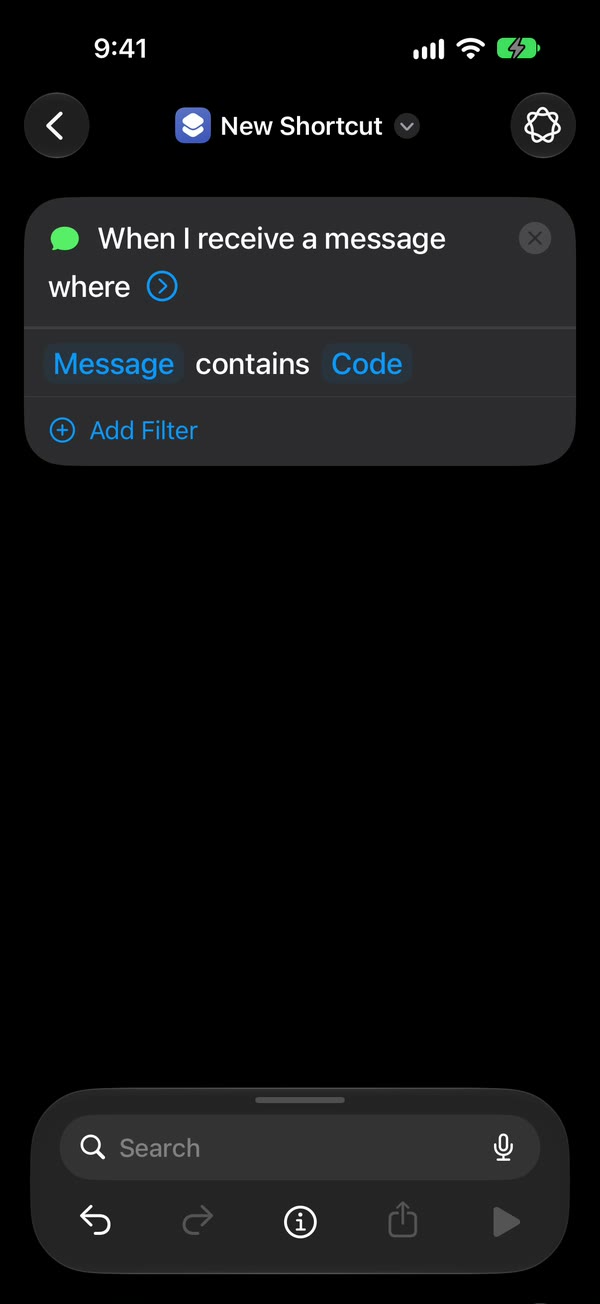
Apple’s Message trigger runs when a text arrives from a sender you add, or containing a phrase you add. The automation then hands that text to the action you chose. For Fwrd, that means:
- Only new, matching texts. It never sees your history, or texts that don’t match your rule.
- No account and no Fwrd server. Fwrd sends to Slack, Discord, Telegram, Microsoft Teams and webhooks straight from the iPhone. For email, another phone or WhatsApp, it hands the text to Apple’s or WhatsApp’s own send action, which does the sending.
- The sender only if you choose. Fwrd uses who sent a text only if you turn on Include Who Sent It in Fwrd’s Settings and choose Sender on Fwrd’s action. It never stores that line.
The automation guide shows every setting, and Is an SMS forwarder app safe? goes further into what a forwarder can see and where your texts travel.
How to see what can reach your texts
Three places control it: Shortcuts automations, Messages filtering and your keyboards.
Look in Shortcuts. On iOS 27, open Shortcuts, tap Library, then Automation. On iOS 26, open the Automation tab. Any automation that starts with Message hands texts to an action; tap one to see which. Turn off any you didn’t make.
Look at your message filter. Open Messages, then in the conversation list open the filter menu, tap Manage Filtering, then Text Message Filter. You’ll see a switch for Apple’s filter and one for each filter app you’ve installed (Apple’s steps).
Look at your keyboards. Open Settings, tap General, then Keyboard, then Keyboards. Swipe left on any keyboard you don’t use and tap Delete (on iOS 26, tap Edit, then the minus button; Apple’s steps).
That’s it. Those three places are where you decide which apps get anything from your messages.
If you’re worried someone set up forwarding on your phone, how to tell if your texts are being forwarded walks through every place to look.
The limits to know
- Once a text leaves, the destination holds it. A forwarded text sits in Slack, your inbox or a chat under that service’s rules.
- Your Apple Account isn’t an app. A Mac or iPad signed in to your Apple Account can show your messages too, including SMS when Messages in iCloud or Text Message Forwarding is on (Apple). Read your texts online covers where texts show up.
- This is what iOS allows, not a promise about any one app. Read an app’s privacy policy before you switch on its filter, keyboard or action.
Questions people ask next
Can a spam filter app read all my messages?
No. It sees only texts from unknown senders, never texts from your contacts and never iMessages. It can ask its developer’s server about a text, but Apple’s system makes that request, not the filter.
Does Fwrd read my texts?
Only the new ones your Shortcuts automation hands it. Fwrd has no account, keeps its history of recent forwards on your iPhone for up to 30 days, and no Fwrd server receives your texts. Its privacy policy has the details.
How do I stop an app from getting my texts?
Turn off its automation in Shortcuts, its switch under Manage Filtering in Messages, or remove its keyboard in Settings.
Forward only the texts you choose
Fwrd gets only the texts your own Shortcuts automation hands it, with no account and no Fwrd server in between. Start with 15 free forwards each month.
Free for 15 forwards a month. Pro removes the limits on forwards and filters and adds a Never Forward list, for $4.99/month or $29.99/year, with a 7-day free trial on the yearly plan for eligible customers.
iPhone · iOS 26 or later